Your browser does not support JavaScript or it is disabled!
Please turn it on, or be aware that some features on this website will not work correctly.
Zaron Wiki - Systems and Guides Skip to content
ZaronOT.com
0players · Season 1Off-SeasonOFFClient15.30
by Plexido Games

ZaronOT - the world of OpenTibia. Develop your character, discover the world and take on challenges.

EXP (stages): x45 → x3 Skill / ML: x10 / x10 Loot: x2 Passive skill tree: Character development with points Task Board: 140 contracts Bestiary: 1397 monsters Rifts: 5 stages of combat
New in gamemounts · outfits · endgame 15.30
Power Gamers Today's ranking is still building up, go grind exp! Full list →

Zaron Wiki

ZARONOT · PORADNIK GRACZA

Zaron Wiki

Current Zaron 15.30 guide: systems, hunting grounds, regions and bosses.

Download client

All guides

46 guides
World and travelNowe tereny i potwory 15.30Thalassara, Radiant Skyhold and Asura Citadel — monsters, routes and estimated levels. ActiveCzytaj
ZARON 15.30Link to the guide

Meet regular monsters in the three new regions and plan your hunt. The table shows HP, locations and estimated level for a single enemy. These are estimates, not tested solo hunting thresholds; groups need extra reserves. Bosses have a separate guide.

You'll recognize them in the game

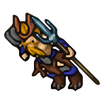
Moonspawn Blightspitter
Moonspawn BlightspitterThalassara · 8 500 HP
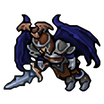
Radiant Templar
Radiant TemplarRadiant Skyhold · 37 000 HP
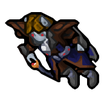
Winged Jaracal
Winged JaracalAsura Citadel · 8 200 HP

How it works

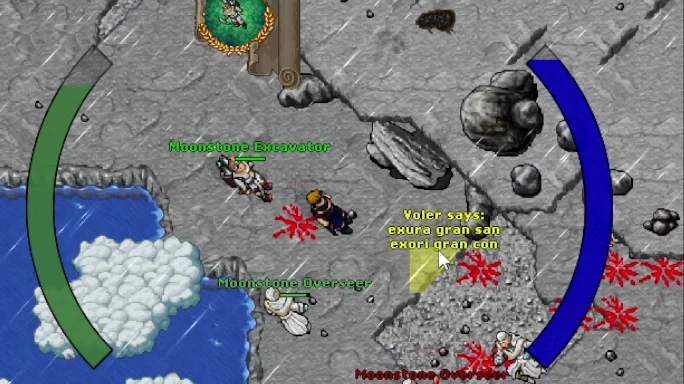
  1. Thalassara: Captain Bluebear in Thais → hi → thalassara → yes (200 gp). Includes Moonspawn Blightspitter, Moonspawn Oozecrown, Moonstone Excavator, Moonstone Overseer and Radiant monsters. Depending on species: roughly levels 150–300+; this does not imply the whole area is safe.
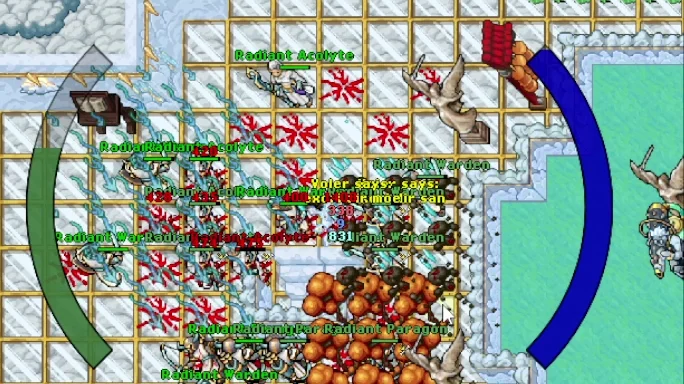
  2. Radiant Skyhold: Captain Bluebear → hi → radiant skyhold → yes (200 gp). Monsters: Radiant Acolyte, Inquisitor, Paragon, Templar, Warden and Zealot. Estimated level for one Radiant: around 300+; prepare more reserves for groups.
  3. Asura Citadel: Captain Bluebear → hi → asura citadel → yes (200 gp). Iceplume Strider, Silverfrost Sentinel and Winged Jaracal: roughly level 150+ against one enemy. The region also has Moonsilver Custodian, with no reliable level estimate.
  4. Choose weapons, protection and potion supplies for the monsters you will face. Use the first visit to assess damage; do not assume equal difficulty throughout the region.
  5. Return to Thais: tell Zaron Navigator hi → thais → yes.
Regular monsterWhere to find itHPPoziom — szacunek
Cult InitiateThalassara10 000Do ustalenia
Moonspawn BlightspitterThalassara8 500Ok. 150+
Moonspawn OozecrownThalassara9 200Ok. 150+
Moonstone ExcavatorThalassara5 100Ok. 150+
Moonstone OverseerThalassara5 450Ok. 150+
Radiant AcolyteThalassara, Radiant Skyhold34 600Ok. 300+
Radiant InquisitorThalassara, Radiant Skyhold34 800Ok. 300+
Radiant ParagonThalassara, Radiant Skyhold36 000Ok. 300+
Radiant TemplarThalassara, Radiant Skyhold37 000Ok. 300+
Radiant WardenThalassara, Radiant Skyhold38 500Ok. 300+
Radiant ZealotThalassara, Radiant Skyhold36 500Ok. 300+
Iceplume StriderAsura Citadel8 500Ok. 150+
Moonsilver CustodianAsura Citadel23 300Do ustalenia
Silverfrost SentinelAsura Citadel9 500Ok. 150+
Winged JaracalAsura Citadel8 200Ok. 150+

Worth remembering

  • Table levels are estimates, without combat tests for every vocation. They are not entry requirements.
  • Regular monster estimates use the bestiary's approximate base-EXP method, rounded up to the next 50 levels. The estimate is for one enemy, not an entire group.
  • Cult Initiate has 10 000 HP but only 500 base EXP, and Moonsilver Custodian has 0 base EXP. We do not estimate their level from EXP because it would be misleading.
  • Location lists match Zaron's Hunt Finder catalogue. EXP/h and profit per hour have not been measured.
  • Base travel price to the region: 200 gp. Choose levels, equipment and hunting routes to suit your character.
Polowanie i bossy15.30 bosses — levels and routesMaior Domus, Mimar Haffar, Phosphorus, The Moonsnow Magnolia i Rakesh Moonfang. Aktywne · FilmCzytaj
ZARON 15.30Link to the guide

Click a boss name or image for its description, stats and route instructions. Five bosses are accessible through Captain Bluebear in Thais. Levels are preparation estimates, not entry requirements or solo-tested thresholds. Vocation, equipment, skills and party support affect difficulty.

Watch: Choosing a boss and teleporting

Shows the boss list, target selection and teleport use. It demonstrates the panel; the guide describes each boss's entry conditions and recommended level.

Muzyka: Five Armies — Kevin MacLeod (incompetech.com), CC BY 4.0. Excerpt, editing and mix with narration.

You'll recognize them in the game

How it works

  1. Approach Captain Bluebear in Thais and say hi.
  2. Enter the boss's full name from the table, then confirm with yes.
  3. Travel to these five bosses costs 0 gp and requires no access item or completed quest.
  4. Prepare healing, protection and backpack space. Having access does not mean the boss suits your character level.
  5. Zaron Navigator takes you back to Thais: hi, thais, yes.
Boss — open descriptionSuggested levelTravel keywordHP
Maior DomusOk. 550+ (szacunek)maior domus80 000
Mimar HaffarOk. 550+ (szacunek)mimar haffar80 000
PhosphorusOk. 650+ (szacunek)phosphorus120 000
The Moonsnow MagnoliaOk. 950+ (szacunek)the moonsnow magnolia52 000
Rakesh MoonfangOk. 300+ (szacunek)rakesh moonfang25 500

Worth remembering

  • Levels are estimates: a starting point for preparation, not entry requirements or solo-combat-tested thresholds. Vocation, equipment, skills and party support affect difficulty.
  • The estimate uses boss base EXP with the same approximate method as the bestiary, rounded up to the next 50 levels. It does not fully account for combat mechanics or character strength.
  • Travel to each of these bosses: 0 gp, with no level requirement, key or required quest.
  • HP and base EXP come from Zaron's configuration.
  • Wheel Point Token drops from Dungeon Token system bosses (Mini/Master) at 1%, and dungeon instance bosses at 1.5%. Using it from level 51 grants +1 permanent Wheel of Destiny point. Completing a task or dungeon alone does not award it.
Polowanie i bossyMaior Domus — level and routeApprox. level 550+ (estimate). 80 000 HP. Travel from Thais for 0 gp. Aktywne · FilmCzytaj
BOSS · ZARON 15.30Link to the guide

Maior Domus has 80 000 HP on Zaron. Suggested first-attempt level: around 550+. Levels are estimates for preparation, not entry requirements or tested solo thresholds. Vocation, equipment, skills and party support affect difficulty.

Watch: Choosing a boss and teleporting

Shows the boss list, target selection and teleport use. It demonstrates the panel; the guide describes each boss's entry conditions and recommended level.

Muzyka: Five Armies — Kevin MacLeod (incompetech.com), CC BY 4.0. Excerpt, editing and mix with narration.

You'll recognize them in the game

Maior Domus
Maior Domus80 000 HP · ok. 550+ lvl (szacunek)

How it works

  1. Prepare a suitable weapon, healing and mana supplies, and free loot space. Consider party support on your first attempt.
  2. Approach Captain Bluebear in Thais and say: hi → maior domus → yes. The journey costs 0 gp.
  3. Arrival point: 33990, 32638, 1. Remember your return location before approaching the boss.
  4. After the fight, return to Zaron Navigator and say: hi → thais → yes.
ParametrValue
Preferowany poziom — szacunekOk. 550+
HP80 000
Base experience80 000 EXP (before multipliers)
Travel level requirementNone
Travel cost0 gp
Odrodzenie20 minutes according to the configuration

Worth remembering

  • Levels are estimates: a starting point for preparation, not entry requirements or solo-combat-tested thresholds. Vocation, equipment, skills and party support affect difficulty.
  • The estimate uses boss base EXP with the same approximate method as the bestiary, rounded up to the next 50 levels. It does not fully account for combat mechanics or character strength.
  • The journey does not check character level and requires no key or completed quest.
  • Stats apply to the Zaron version. Guides for global Tibia may describe different rules.
  • Wheel Point Token drops from Dungeon Token system bosses (Mini/Master) at 1%, and dungeon instance bosses at 1.5%. Using it from level 51 grants +1 permanent Wheel of Destiny point. Completing a task or dungeon alone does not award it.
Polowanie i bossyMimar Haffar — level and routeApprox. level 550+ (estimate). 80 000 HP. Travel from Thais for 0 gp. Aktywne · FilmCzytaj
BOSS · ZARON 15.30Link to the guide

Mimar Haffar has 80 000 HP on Zaron. Suggested first-attempt level: around 550+. Levels are estimates for preparation, not entry requirements or tested solo thresholds. Vocation, equipment, skills and party support affect difficulty.

Watch: Choosing a boss and teleporting

Shows the boss list, target selection and teleport use. It demonstrates the panel; the guide describes each boss's entry conditions and recommended level.

Muzyka: Five Armies — Kevin MacLeod (incompetech.com), CC BY 4.0. Excerpt, editing and mix with narration.

You'll recognize them in the game

Mimar Haffar
Mimar Haffar80 000 HP · ok. 550+ lvl (szacunek)

How it works

  1. Prepare a suitable weapon, healing and mana supplies, and free loot space. Consider party support on your first attempt.
  2. Approach Captain Bluebear in Thais and say: hi → mimar haffar → yes. The journey costs 0 gp.
  3. Arrival point: 33882, 32690, 15. Remember your return location before approaching the boss.
  4. After the fight, return to Zaron Navigator and say: hi → thais → yes.
ParametrValue
Preferowany poziom — szacunekOk. 550+
HP80 000
Base experience80 000 EXP (before multipliers)
Travel level requirementNone
Travel cost0 gp
Odrodzenie20 minutes according to the configuration

Worth remembering

  • Levels are estimates: a starting point for preparation, not entry requirements or solo-combat-tested thresholds. Vocation, equipment, skills and party support affect difficulty.
  • The estimate uses boss base EXP with the same approximate method as the bestiary, rounded up to the next 50 levels. It does not fully account for combat mechanics or character strength.
  • The journey does not check character level and requires no key or completed quest.
  • Stats apply to the Zaron version. Guides for global Tibia may describe different rules.
  • Wheel Point Token drops from Dungeon Token system bosses (Mini/Master) at 1%, and dungeon instance bosses at 1.5%. Using it from level 51 grants +1 permanent Wheel of Destiny point. Completing a task or dungeon alone does not award it.
Polowanie i bossyPhosphorus — level and routeApprox. level 650+ (estimate). 120 000 HP. Travel from Thais for 0 gp. Aktywne · FilmCzytaj
BOSS · ZARON 15.30Link to the guide

Phosphorus has 120 000 HP on Zaron. Suggested first-attempt level: around 650+. Levels are estimates for preparation, not entry requirements or tested solo thresholds. Vocation, equipment, skills and party support affect difficulty.

Watch: Choosing a boss and teleporting

Shows the boss list, target selection and teleport use. It demonstrates the panel; the guide describes each boss's entry conditions and recommended level.

Muzyka: Five Armies — Kevin MacLeod (incompetech.com), CC BY 4.0. Excerpt, editing and mix with narration.

You'll recognize them in the game

Phosphorus
Phosphorus120 000 HP · ok. 650+ lvl (szacunek)

How it works

  1. Prepare a suitable weapon, healing and mana supplies, and free loot space. Consider party support on your first attempt.
  2. Approach Captain Bluebear in Thais and say: hi → phosphorus → yes. The journey costs 0 gp.
  3. Arrival point: 34099, 32543, 8. Remember your return location before approaching the boss.
  4. After the fight, return to Zaron Navigator and say: hi → thais → yes.
ParametrValue
Preferowany poziom — szacunekOk. 650+
HP120 000
Base experience120 000 EXP (before multipliers)
Travel level requirementNone
Travel cost0 gp
Odrodzenie20 minutes according to the configuration

Worth remembering

  • Levels are estimates: a starting point for preparation, not entry requirements or solo-combat-tested thresholds. Vocation, equipment, skills and party support affect difficulty.
  • The estimate uses boss base EXP with the same approximate method as the bestiary, rounded up to the next 50 levels. It does not fully account for combat mechanics or character strength.
  • The journey does not check character level and requires no key or completed quest.
  • Stats apply to the Zaron version. Guides for global Tibia may describe different rules.
  • Wheel Point Token drops from Dungeon Token system bosses (Mini/Master) at 1%, and dungeon instance bosses at 1.5%. Using it from level 51 grants +1 permanent Wheel of Destiny point. Completing a task or dungeon alone does not award it.
Polowanie i bossyThe Moonsnow Magnolia — level and routeApprox. level 950+ (estimate). 52 000 HP. Travel from Thais for 0 gp. Aktywne · FilmCzytaj
BOSS · ZARON 15.30Link to the guide

The Moonsnow Magnolia has 52 000 HP on Zaron. Suggested first-attempt level: around 950+. Levels are estimates for preparation, not entry requirements or tested solo thresholds. Vocation, equipment, skills and party support affect difficulty.

Watch: Choosing a boss and teleporting

Shows the boss list, target selection and teleport use. It demonstrates the panel; the guide describes each boss's entry conditions and recommended level.

Muzyka: Five Armies — Kevin MacLeod (incompetech.com), CC BY 4.0. Excerpt, editing and mix with narration.

You'll recognize them in the game

The Moonsnow Magnolia
The Moonsnow Magnolia52 000 HP · ok. 950+ lvl (szacunek)

How it works

  1. Prepare a suitable weapon, healing and mana supplies, and free loot space. Consider party support on your first attempt.
  2. Approach Captain Bluebear in Thais and say: hi → the moonsnow magnolia → yes. The journey costs 0 gp.
  3. Arrival point: 33898, 32719, 9. Remember your return location before approaching the boss.
  4. After the fight, return to Zaron Navigator and say: hi → thais → yes.
ParametrValue
Preferowany poziom — szacunekOk. 950+
HP52 000
Base experience240 000 EXP (before multipliers)
Travel level requirementNone
Travel cost0 gp
Odrodzenie20 minutes according to the configuration

Worth remembering

  • Levels are estimates: a starting point for preparation, not entry requirements or solo-combat-tested thresholds. Vocation, equipment, skills and party support affect difficulty.
  • The estimate uses boss base EXP with the same approximate method as the bestiary, rounded up to the next 50 levels. It does not fully account for combat mechanics or character strength.
  • The journey does not check character level and requires no key or completed quest.
  • Stats apply to the Zaron version. Guides for global Tibia may describe different rules.
  • Wheel Point Token drops from Dungeon Token system bosses (Mini/Master) at 1%, and dungeon instance bosses at 1.5%. Using it from level 51 grants +1 permanent Wheel of Destiny point. Completing a task or dungeon alone does not award it.
Polowanie i bossyRakesh Moonfang — level and routeApprox. level 300+ (estimate). 25 500 HP. Travel from Thais for 0 gp. Aktywne · FilmCzytaj
BOSS · ZARON 15.30Link to the guide

Rakesh Moonfang has 25 500 HP on Zaron. Suggested first-attempt level: around 300+. Levels are estimates for preparation, not entry requirements or tested solo thresholds. Vocation, equipment, skills and party support affect difficulty.

Watch: Choosing a boss and teleporting

Shows the boss list, target selection and teleport use. It demonstrates the panel; the guide describes each boss's entry conditions and recommended level.

Muzyka: Five Armies — Kevin MacLeod (incompetech.com), CC BY 4.0. Excerpt, editing and mix with narration.

You'll recognize them in the game

Rakesh Moonfang
Rakesh Moonfang25 500 HP · ok. 300+ lvl (szacunek)

How it works

  1. Prepare a suitable weapon, healing and mana supplies, and free loot space. Consider party support on your first attempt.
  2. Approach Captain Bluebear in Thais and say: hi → rakesh moonfang → yes. The journey costs 0 gp.
  3. Arrival point: 33041, 32998, 8. Remember your return location before approaching the boss.
  4. After the fight, return to Zaron Navigator and say: hi → thais → yes.
ParametrValue
Preferowany poziom — szacunekOk. 300+
HP25 500
Base experience25 500 EXP (before multipliers)
Travel level requirementNone
Travel cost0 gp
Odrodzenie20 minutes according to the configuration

Worth remembering

  • Levels are estimates: a starting point for preparation, not entry requirements or solo-combat-tested thresholds. Vocation, equipment, skills and party support affect difficulty.
  • The estimate uses boss base EXP with the same approximate method as the bestiary, rounded up to the next 50 levels. It does not fully account for combat mechanics or character strength.
  • The journey does not check character level and requires no key or completed quest.
  • Stats apply to the Zaron version. Guides for global Tibia may describe different rules.
  • Wheel Point Token drops from Dungeon Token system bosses (Mini/Master) at 1%, and dungeon instance bosses at 1.5%. Using it from level 51 grants +1 permanent Wheel of Destiny point. Completing a task or dungeon alone does not award it.
Hunt Finder — hunting ground filters and search results. Hunt Finder — hunting ground filters and search results. Polowanie i bossyHunt Finder — hunting ground searchFilter locations by level, vocation, area and party composition. Aktywne · FilmCzytaj
ZARON 15.30Link to the guide

Hunt Finder helps choose hunting locations in the client and on the Zaron website. It shows enemies, valuable loot and estimated EXP/h and Loot/h. It searches hunting grounds; accept tasks through Task Board.

Obejrzyj: Hunt Finder i teleporty

Hunting ground search, route map, equipment preview and teleport. The final section also shows boss teleports.

Muzyka: Five Armies — Kevin MacLeod (incompetech.com), CC BY 4.0. Excerpt, editing and mix with narration.

You'll recognize them in the game

Hunt Finder
Hunt FinderIkona z aktualnego klienta Zarona.

How it works

  1. Open Hunt Finder in the client or on the website.
  2. Set your level, vocation and play style: solo or party.
  3. Choose a hunting ground and read the monster, location and loot details.
  4. Treat EXP/h and Loot/h as estimates: results depend on the character, pace and hunting conditions.
  5. Check the Teleport button, price and requirements in the client. The website is for browsing hunting grounds.

Worth remembering

  • Client and website versions
  • Filter by level, vocation and party
  • Hunting ground and loot details
  • EXP/h and Loot/h are estimates
Zaron — world footage recorded by Piotr. Zaron — world footage recorded by Piotr. Getting startedHow to start playing ZaronAccount, client, login details and first character. Aktywne · FilmCzytaj
GETTING STARTEDLink to the guide

Create an account on the website, download the Zaron client and log in when the world is available. Its updater downloads updates before joining the server.

Watch: Zaron systems — a quick overview

A short presentation of the Assistant, teleports, challenges, rewards and monster cards. Battle Pass appears around seconds 6–8. Check current rewards and requirements in the description and in game.

Muzyka: Five Armies — Kevin MacLeod (incompetech.com), CC BY 4.0. Excerpt, editing and mix with narration.

How it works

  1. Create an account using the website's Create account button and keep your login details safe.
  2. Download the client from the Download Game section. Unpack it and run it according to the instructions on the download page.
  3. Log in with the account details you created. Choose a character and vocation.
  4. After entering, learn about the deposit, open the Daily window and look at the Task Board. The development of constellations is described in the Zaron's Tree guide.

Worth remembering

  • Login details from registration
  • Client with automatic updates
  • Installation instructions in the Download the game section
Battle Pass — the reward track in the client. Battle Pass — the reward track in the client. Character progressionBattle Pass — misje i nagrodyDarmowe nagrody za wykonywanie misji. Graj, zdobywaj punkty i odbieraj FREE. Aktywne · FilmCzytaj
ZARON 15.30Link to the guide

Battle Pass rewards playing. Complete tasks, earn points and unlock free items on the FREE track without buying Deluxe. Every 100 points grants another pass level, up to level 50.

Watch: Zaron systems — a quick overview

A short presentation of the Assistant, teleports, challenges, rewards and monster cards. Battle Pass appears around seconds 6–8. Check current rewards and requirements in the description and in game.

Muzyka: Five Armies — Kevin MacLeod (incompetech.com), CC BY 4.0. Excerpt, editing and mix with narration.

FREE · NO COST

Complete tasks. Claim rewards.

You do not need to buy a pass to start. Here are some rewards you can earn on the free track:

100 pkt · poziom 1

Karta Prey

1 karta do systemu Prey.

200 pkt · poziom 2

Darmowy los

1 casino ticket. Use it from your backpack.

400 pkt · poziom 4

XP Boost · 30 min

+50% experience bonus for 30 minutes.

700 pkt · poziom 7

Exercise weapon

Weapon selection box · 3600 charges.

There is more: later FREE levels also include Zar Tokens. Preview all rewards in the client before claiming them.

Screenshots show the Zaron panel layout. Check current targets, progress and remaining season time in game.

How it works

  1. Open Battle Pass on the client bar and choose the Challenges tab.
  2. Check the task target: which monster to defeat, how many times and for how many points. There are daily and seasonal missions.
  3. Complete tasks while hunting. Check mission and level progress in the same window.
  4. Go to Rewards, choose an unlocked FREE reward and confirm the claim.

Worth remembering

  • The FREE track is free — earn rewards with points from tasks.
  • Rewards are not placed in your backpack automatically: claim them in the Rewards tab.
  • The client shows the full reward list, available claims and season duration.
  • Check Deluxe unlock conditions in Store. FREE does not require this purchase.
Screen z gry — Thais. Widok ilustracyjny. Screen z gry — Thais. Widok ilustracyjny. Character progressionWheel Point Token — +1 wheel pointRare boss loot: Mini/Master 1%, dungeon boss 1.5%. Use grants 1 permanent Wheel of Destiny point. ActiveCzytaj
WHEEL POINTLink to the guide

Obtain a Wheel Point Token and use it from level 51. Each consumed token adds exactly 1 Wheel of Destiny point to that character. It persists after logout and can be allocated in the wheel.

You'll recognize them in the game

How it works

  1. Defeat a summoned Mini/Master boss in the Dungeon Token system (1%) or a boss in a dungeon instance (1.5%).
  2. Collect the token from boss loot. Ordinary loot is in the corpse; bosses with personal rewards place it in an eligible participant's reward chest.
  3. After reaching level 51, select Use on the token. It disappears and the character gains +1 point.
  4. Open Wheel of Destiny and allocate the new point. Resetting the wheel does not remove token-earned points.

Worth remembering

  • Fixed chances: 1% Mini/Master and 1.5% dungeon boss. Each roll is independent; there is no guarantee after a set number of attempts.
  • At most 1 token per roll. Personal reward chest bosses roll separately for each eligible participant. Loot multipliers and Bosstiary bonuses do not raise the chance.
  • Completing a Grizzly task, Bounty contract or dungeon, or claiming a package, does not roll for a token.
  • Only bosses summoned through these two systems can drop the token. Wild monsters and bosses outside dungeons do not roll for it.
  • This is a Wheel of Destiny point, not an attribute point or Zaron Tree star.
  • The token is not consumed below level 51.
  • Spending points follows the usual Wheel of Destiny rules: Premium and vocation promotion are required.
Polowanie i bossySoul Pit — trials with a Soul CorePortal z depozytu prowadzi do lobby z obeliskiem. ActiveCzytaj
ZARON 15.30Link to the guide

Soul Pit hosts trials involving Soul Core. The portal near the Thais depot leads to the lobby, where you start a challenge at the obelisk.

You'll recognize them in the game

Soul Pit
Soul PitPortal to the trial lobby.

How it works

  1. Przygotuj Soul Core i skorzystaj z portalu Soul Pit przy depozycie w Thais.
  2. In the lobby, approach the obelisk and use the correct core as instructed.
  3. Read the trial conditions before starting it.
  4. After finishing, use the return portal to the depot.

Worth remembering

  • Enter through the portal in Thais
  • Wyzwania przy obelisku
  • Wymagany odpowiedni Soul Core
  • Portal powrotny w lobby
Getting startedDaily Reward — reward calendar30 days of rewards. Check the contents and available claims in the client. ActiveCzytaj
DAILYLink to the guide

Daily shows a 30-day calendar and reward claim progress. Each tile has its own contents; read the description before claiming.

You'll recognize them in the game

Zar Token
Zar TokenSome days I give tokens.
Common Ciern Box
Common Ciern BoxBoxes in the reward cycle.

How it works

  1. Open Daily in your client bar.
  2. Choose an available tile and check its reward and your inventory space.
  3. Press the claim button. The calendar status confirms that you claimed the reward.

Worth remembering

  • 30-day calendar
  • The reward is described on the tile
  • The client shows whether a reward can be claimed
Getting startedZar Token — storage and paymentsZar Token balance, deposits, withdrawals and preparing tokens for payment. ActiveCzytaj
ZAR TOKENLink to the guide

Zar Token is used for Zaron services. Payment depends on each window's requirements: check the price and tokens available in your backpack. Store tokens in the bank and withdraw the required amount before using a service.

You'll recognize them in the game

Zar Token
Zar TokenToken used in Zaron services and activities.

How it works

  1. Open Bank and select Zar Token. Check backpack tokens and bank balance separately.
  2. Deposit or withdraw in a protection zone (PZ). Enter the amount and choose the operation.
  3. Prepare inventory space and capacity before withdrawing. Afterwards, read the message and new balance.
  4. Prepare the required Zar Tokens in your backpack before a paid service. Bank balance does not replace inventory tokens.

Worth remembering

  • Zaron service token: Zar Token
  • Deposit and withdraw in a protection zone
  • Check the tokens in your backpack before paying
Getting startedMikstury i eliksiryBasic health and mana potions, and Blood, Mana and Knowledge Elixirs from boss rewards. ActiveCzytaj
HEALTH, MANA AND BOOSTSLink to the guide

Bring health and mana potions suited to your level and vocation. Zaron's Blood, Mana and Knowledge Elixirs are a separate group granting temporary boosts. All three are among Cierniowy Rozdzieracz's possible rewards.

You'll recognize them in the game

Health Potion
Health PotionBasic potion that restores health.
Mana Potion
Mana PotionBasic potion that restores mana.
Great Spirit Potion
Great Spirit PotionRestores health and mana; from level 80 for paladins and monks.
Eliksir Krwi Ciernia
Eliksir Krwi CierniaRegeneruje 30 HP co 3 sekundy przez 10 minut.
Eliksir Many Ciernia
Eliksir Many CierniaRegeneruje 40 many co 3 sekundy przez 10 minut.
Eliksir Wiedzy Ciernia
Eliksir Wiedzy CierniaGrants a +50% experience bonus for 10 minutes.

How it works

  1. Buy basic potions from vendors, such as Xodet in Thais. Check required level and vocation before buying stronger versions.
  2. Health Potion restores health, Mana Potion restores mana, and Spirit Potion combines both. Stronger variants have their own requirements.
  3. Check rewards after defeating the boss. Blood, Mana and Knowledge Elixirs are not guaranteed on every kill.
  4. Use the chosen elixir before hunting and watch its duration. Elixir regeneration supplements ordinary potion supplies.
TypeHow it works and available variants
Mikstury zdrowiaSmall Health, Health, Strong Health, Great Health, Ultimate Health i Supreme Health Potion. Dobierz wariant do poziomu i profesji.
Mikstury manyMana, Strong Mana, Great Mana, Superior Mana, Ultimate Mana, Distilled Superior Mana i Distilled Ultimate Mana Potion.
Mikstury SpiritGreat Spirit Potion (80+) and Ultimate Spirit Potion (130+) for paladins and monks; restore health and mana.
Eliksir Krwi Ciernia30 HP every 3 seconds for 10 minutes. In Cierniowy Rozdzieracz's reward pool.
Eliksir Many Ciernia40 mana every 3 seconds for 10 minutes. In Cierniowy Rozdzieracz's reward pool.
Eliksir Wiedzy Ciernia+50% experience bonus for 10 minutes. In Cierniowy Rozdzieracz's reward pool.

Worth remembering

  • Health and Mana: instant resource restoration
  • Spirit: restores health and mana together
  • Blood, Mana and Knowledge Elixirs: 10-minute duration
  • Example boss with elixirs: Cierniowy Rozdzieracz
Character progressionZaron's Tree - constellationsEight constellations with five stars each. One point for 50 effective levels. Aktywne · FilmCzytaj
CHARACTER PROGRESSIONLink to the guide

In Zaron's Tree, you choose passive character bonuses. Each of the eight constellations has five stars, and completing each constellation gives an additional bonus. You can spend a total of 40 points.

Watch: Tasks, achievements and character progression

Overview of tasks, achievements, weapon proficiency and the character tree. Constellations appear around seconds 6–10; selection details are described below.

Muzyka: Five Armies — Kevin MacLeod (incompetech.com), CC BY 4.0. Excerpt, editing and mix with narration.

You'll recognize them in the game

Damage
DamageIncreased damage dealt to monsters.
Krytyk
KrytykMocniejsze trafienia krytyczne PvE.
Przebicie
PrzebicieBreaking monster resistance.
Wampiryzm
WampiryzmRecovering life from damage.
Unik
UnikChance to avoid being hit by a monster.
Magia
MagiaMana recovery from damage.
Obrona
ObronaReflecting some damage.
Ruch
RuchIncreased movement speed.

How it works

  1. Open Zaron's Tree in the client and check the number of free points.
  2. You receive a point for every 50 effective levels. Attribute points from additional activities count as subsequent levels, and not directly as tree points.
  3. Choose the next star in the branch: Damage, Crit, Pierce, Vampirism, Evade, Magic, Defense or Movement.
  4. The cost of a star is 1 point and 10 Cinder Tokens. Free stars after transferring previous progress may cover the cost of tokens.
  5. Preview the bonuses and press Apply. The fifth star unlocks the additional bonus of a full constellation.

Worth remembering

  • 8 constellations × 5 stars
  • Maximum 40 points
  • 1 point for 50 effective levels
  • Star: 1 point + 10 Cinder Tokens
  • Magic is responsible for stealing mana
  • A full constellation gives an additional bonus
  • Wheel Point Token drops from Dungeon Token system bosses (Mini/Master) at 1%, and dungeon instance bosses at 1.5%. Using it from level 51 grants +1 permanent Wheel of Destiny point. Completing a task or dungeon alone does not award it.
Character progressionStone slotsRubin, szafir, szmaragd, topaz, ametyst i diament w ekwipunku. ActiveCzytaj
EQUIPMENT DEVELOPMENTLink to the guide

Stones fitted into equipment grant bonuses according to the item description. Slots shows fitted stones, available slots and how many are active for your character.

You'll recognize them in the game

Rubin
Rubin
Szafir
Szafir
Szmaragd
Szmaragd
Topaz
Topaz
Ametyst
Ametyst
Diament
Diament

How it works

  1. Read the stone description and requirements of the item you want to place it in.
  2. Use the stone on a suitable piece of equipment. Read the message confirming success or unmet requirements.
  3. Open the Slots preview and compare stones with active slots. A fitted stone and an active bonus are separate indicators.
  4. Check the item's current bonus description before changing equipment further.

Worth remembering

  • Stone used on equipment
  • The window shows the number of slots and their active state
  • Check the requirements before using a stone
Character progressionEquipment setsThree sets: Thorn for magic, Knight for combat skills, Crown for defense. ActiveCzytaj
EQUIPMENTLink to the guide

Set bonuses are counted by the server and charged for each DIFFERENT part equipped, not for duplicates. The full set adds an additional effect. You can see the condition of the set in the description of any part: it shows how many you have.

You'll recognize them in the game

Cursed Skeletal Helmet
Cursed Skeletal HelmetHelm. Armor 10.
Cursed Skeletal Armor
Cursed Skeletal ArmorZbroja. Armor 16.
Cursed Skeletal Gauntlets
Cursed Skeletal GauntletsGloves in the shield slot. Defense 34.
Cursed Skeletal Legs
Cursed Skeletal LegsNogawice. Armor 9.
Cursed Skeletal Boots
Cursed Skeletal BootsButy. Armor 4.
Cursed Skeletal Ring
Cursed Skeletal RingPierscien kompletu.
Cursed Skeletal Backpack
Cursed Skeletal BackpackBackpack for 30 places.

How it works

  1. The Thorn set has seven pieces, not five: helmet, armor, shield slot gauntlets, pants, boots, ring, and backpack. Each part gives +1 to the magic level, and the set of 7/7 gives an additional +5% to the damage dealt.
  2. The knight set consists of four parts: warrior helmet, knight armor, knight legs and steel boots. Each one gives +1 to the sword, axe, mace and melee combat, and the set gives +5% to the damage dealt.
  3. The crown set also includes four parts: crown helmet, crown armor, crown legs and crown shield. Each one gives +1 to shielding, and the complete set -5% of damage taken, in PvE and PvP.
  4. Read the equipped piece's description to check set completion. A duplicate of the same piece does not increase the piece count.

Worth remembering

  • Set of Thorn: 7 pieces, +1 magic per piece
  • Thorn Set: +5% damage
  • Knight: 4 parts, +1 combat skill
  • Knight Set: +5% damage
  • Crown: 4 pieces, +1 shielding
  • Crown Set: -5% damage taken
  • The Crown set does not reduce treatment
  • Every different part counts
Character progressionPorter — a companion with luggageFive luggage tiers, extra capacity and appearances with a cap bonus. ActiveCzytaj
TOWARZYSZLink to the guide

The Porter carries items in separate luggage. Each tier raises slot count and base capacity. Some equipped appearances add cap; the Porter does not fight or grant attack or defence bonuses.

You'll recognize them in the game

Porter — donkey
Porter — donkeyCompanion for carrying items.

How it works

  1. Open the Porter's window in the client.
  2. Check the level, capacity and available luggage.
  3. Move items into the luggage using the window's options.
  4. Before upgrading a tier or changing appearance, check the requirements and price shown in the client.
LevelMiejscaBase carrying capacity
I4200 cap
II8400 cap
III12600 cap
IV16800 cap
V201000 cap

Worth remembering

  • 5 levels
  • 4 / 8 / 12 / 16 / 20 miejsc
  • Bazowy cap: 200 / 400 / 600 / 800 / 1000
  • Some appearances increase cap when equipped
Character progressionAddon Statue and Attribute PointsAddons and additional activities support the development of Zaron's Tree. ActiveCzytaj
PUNKTY ROZWOJULink to the guide

Attribute Points increase the effective level used to calculate Zaron's Tree points. One Attribute Point corresponds to one additional level; every 50 effective levels gives you 1 tree point.

You'll recognize them in the game

Addon Statue
Addon StatueCheck available outfits and requirements.

How it works

  1. Check the Addon Statue offer and the requirements of the selected outfit.
  2. Before purchasing, read the price and description of the prize in the window.
  3. After gaining Attribute Points, open Zaron's Tree. In the header you will see the effective level and the next point threshold.

Worth remembering

  • An Attribute Point counts as an additional level
  • 50 effective levels = 1 tree point
  • Tree limit: 40 points
Task Board — choose a task and view rewards. Task Board — choose a task and view rewards. Polowanie i bossyTask Board — task boardComplete hunting tasks, claim Zar Tokens and develop your character. ActiveCzytaj
KONTRAKTYLink to the guide

Earn Zar Tokens by completing tasks and activities. The Thais depot board opens Grizzly tasks: choose a species, accept the task and hunt its monsters. Afterwards, claim Zar Tokens, experience and the task's assigned rewards.

You'll recognize them in the game

How it works

  1. Approach the TASK board near the Thais depot and use any part of it.
  2. Choose an available task. Before accepting, check required kills and the reward preview, including Zar Token amounts.
  3. Accept a task, hunt the indicated species and watch the tracker. Find a suitable hunting ground in Hunt Finder.
  4. After completing the required kills, return to the task window and claim the reward. Reaching the count does not claim it.
  5. Compare rewards before a new task or repeat. Values depend on the task; check the percentage shown for repeats.
ActivityJak zdobywasz Zar Tokeny
Task Board / Grizzly tasksAccept a task, complete the required kills and claim the reward. Token amounts depend on the selected task.
Bossy dniaDefeat the bosses currently listed in the Grizzly window and meet the reward conditions.
Daily RewardClaim calendar rewards. Zar Tokens appear on selected days.
Battle Pass — FREE trackComplete missions, gain levels and claim rewards. Selected levels contain Zar Tokens.
Skrzynki z nagrodamiZar Tokens can be one of the possible rewards. Check the reward pool before opening.

Worth remembering

  • You earn Zar Tokens for completed tasks
  • Check the token amount in the reward preview
  • The Thais board opens Grizzly tasks
  • Hunt Finder helps you find a hunting ground
  • Wheel Point Token drops from Dungeon Token system bosses (Mini/Master) at 1%, and dungeon instance bosses at 1.5%. Using it from level 51 grants +1 permanent Wheel of Destiny point. Completing a task or dungeon alone does not award it.
Grizzly Adams — task board and reward preview. Grizzly Adams — task board and reward preview. Polowanie i bossyGrizzly Adams TasksHow to start tasks, earn Zar Tokens, claim packages and advance in Paw and Fur. ActiveCzytaj
HUNTING TASKSLink to the guide

Grizzly Adams runs Paw and Fur hunting tasks: accept a target monster, fill the kill counter and return for rewards. Completing tasks grants Zar Tokens, experience, Paw and Fur points and an item package. You can have up to 3 active tasks. The TASK board near the Thais depot opens the preview; accept, cancel and submit tasks beside Grizzly Adams after saying hi.

You'll recognize them in the game

Tablica TASK w ThaisUse any of the three parts to open the Grizzly window. Task previews do not replace speaking to the NPC.
Zar Token
Zar TokenTask reward. Check the amount in the panel after selecting a monster. Task tokens are in the reward package in Inbox.
Common Ciern Box
Common Ciern BoxBox for a task requiring fewer than 500 kills. Arrives in the reward package; opening it is a separate draw.
Rare Ciern Box
Rare Ciern BoxBox for a task requiring at least 500 kills. Check the possible reward pool before opening.
Crocodile — task example
Crocodile — task exampleCrocodiles: 300 kills, levels 6–49 and Premium required. The linked boss is Snapper.
Hydra — task example
Hydra — task exampleHydras: 650 kills, from level 130 and Premium required. Linked boss: Many. An example of a later task.
Wheel Point Token
Wheel Point TokenBoss loot: Mini/Master 1%, dungeon 1.5%. Use: +1 permanent Wheel of Destiny point from level 51.

How it works

  1. Open Grizzly through the TASK board near the Thais depot. The first opening enrols the character in Paw and Fur; browse the list without speaking to the NPC.
  2. In Tasks, use All / Easy / Medium / Hard filters or search by name. Click a monster to see its requirements and rewards.
  3. Check the task's minimum and maximum level, Premium, rank, kill count and attempt reward percentage. The card message explains why a task is locked.
  4. Approach Grizzly Adams and say hi. Stay beside the NPC on the same floor, choose an available task and click Accept. Wait for the conversation to finish and the task to appear in the active list.
  5. Enable Tracker and hunt the task's species. Up to 3 tasks can be active; Hunt Finder helps choose a location. Use Refresh after progress changes.
  6. After filling the counter, return to Grizzly, say hi and click Submit on the finished task. The word tasks also opens settlement. Reaching the required kills alone does not claim the reward.
  7. Check Inbox for the package containing items, tokens and coins. Experience and points are calculated separately. Before the next task, check rank, free slots and the current reward percentage.

Co znajdziesz w oknie Grizzly?

Tasks shows monster cards, requirements, rewards and your active task list. The header shows level, rank, Paw and Fur points and the next rank threshold. Tracker monitors kill counters during hunts.

Loot and Rare loot show a monster's possible items. If a task has a boss, select Boss: name in Loot. This previews the pool, without guaranteeing every item.

Nagrody: Zar Tokeny i paczka w Inbox

Zar Token and EXP amounts depend on the task. EXP also accounts for character level and the current experience multiplier. Compare hunting effort with the in-game reward preview before accepting.

Every settled task grants a box: Common Ciern Box below 500 required kills, or Rare Ciern Box from 500. The box and other items arrive in an Inbox package. Task rewards and later box-opening results are separate stages.

Paw and Fur points raise hunter rank. They are not Zar Tokens or points from the separate Hunting Tasks system. Some tasks unlock a linked boss; check its name on the card.

Repeat tasks and active task limit

For tasks limited to three attempts, successive rates are 100%, 75% and 50%. The multiplier affects EXP, gold, points and scaled items, among other rewards. Zar Tokens and the extra box are awarded separately — do not calculate the whole package by multiplying everything by the percentage.

Some tasks repeat under different rules. Check each card's attempt, percentage and availability. Task limit means all three slots are occupied. Submit a completed task or cancel an active one with Grizzly to free a slot; Cancel abandons a task and does not claim its reward.

Bossy dnia w tym samym oknie

Bosses of the day shows 4 bosses shared by all players. They change at 06:00 Polish time. Each shows suggested level, reward, completion status and time until the next change.

Each Boss of the day currently grants 10 Zar Tokens and its listed EXP once daily per character. Combat participation must meet credit rules; being nearby is not enough. Its button opens the Teleport System location; fight access still follows that boss's rules.

A task's assigned boss and the Boss of the day are separate targets. Check which tab shows the reward.

Grizzly versus Hunting Tasks

The three-part TASK board in Thais opens Grizzly and Paw and Fur tasks. The separate Hunting Tasks page describes Task Board pools: Beginner, Adept, Expert and Master. These systems have their own tasks, points and rewards. Links below lead to the relevant guides.

Progi rang Paw and Fur
RankWymagane punkty
Huntsman10
Ranger20
Big Game Hunter40
Trophy Hunter70
Elite Hunter100

Worth remembering

  • Accept, Cancel and Submit require an active conversation with Grizzly Adams; the board preview works without it.
  • Locked task: check level range, Premium, rank, required progress and past completions.
  • Further Paw and Fur points are limited by level thresholds: after 40 points you need level 50; after 70, level 80; after 100, level 130.
  • No package in your backpack? Check Inbox. If payment is pending, follow the game message and speak to Grizzly again.
  • The screenshot illustrates the window layout. Read requirements and rewards from your character's current card.
  • Wheel Point Token drops from Dungeon Token system bosses (Mini/Master) at 1%, and dungeon instance bosses at 1.5%. Using it from level 51 grants +1 permanent Wheel of Destiny point. Completing a task or dungeon alone does not award it.
Polowanie i bossyZar Token — zdobywanie i zastosowaniaWhere to earn Zar Tokens and what to spend them on in game. ActiveCzytaj
ZAR TOKENLink to the guide

Earn Zar Tokens from selected activity rewards. Spend them on the Zaron Tree, paid teleports and Mini/Master summons, among other uses. Check the amount shown before claiming or buying.

You'll recognize them in the game

How it works

  1. Check the Daily calendar and free Battle Pass track. Zar Tokens are rewards at selected positions.
  2. In Task Board / Grizzly, compare task requirements and reward previews. Amounts depend on the task, difficulty and repeats.
  3. Check the possible rewards before opening a box. Zar Tokens may be in the pool; the specific reward depends on the draw.
  4. Prepare tokens in your backpack before using a paid feature. Withdraw bank-stored tokens first.
  5. When summoning Mini/Master, also check the species kill balance. Having enough tokens alone is not sufficient.
ZastosowanieCost in Zar Tokens
Gwiazda Drzewka Zarona10 and 1 tree point
Paid hunting ground in the Teleport System10; hunting grounds with a required level up to 150 are free
Boss w Teleport Systemie0 or 10 — depending on the destination
Summon Mini5 and 500 kills of the species
Summon Master10 and 1000 kills of the species
Losowanie mikstury w oknie Kasyno50; an available ticket can replace the payment

Worth remembering

  • Current Zaron service token: Zar Token
  • Nagrody i ceny sprawdzaj przed potwierdzeniem
  • Mini/Master consumes tokens and species kills
  • Wheel Point Token drops from Dungeon Token system bosses (Mini/Master) at 1%, and dungeon instance bosses at 1.5%. Using it from level 51 grants +1 permanent Wheel of Destiny point. Completing a task or dungeon alone does not award it.
Polowanie i bossyHunter's Chronicle and Boss LedgerChronicle, species kill balance, summon costs and Mini/Master rewards. Aktywne · FilmCzytaj
PROGRESSLink to the guide

The Chronicle records total hunting progress. Mini and Master summons use a separate available kill balance for each species. Summoning spends kills from that balance and Zar Tokens; historical Chronicle progress remains saved.

Watch: Hunt, Mini and Master tasks — entering dungeons

Shows Hunt tasks, summoned Mini and Master bosses, and dungeon entry. Dungeon Token is the dungeon entry pass; check current Zar Token and species-kill summon costs in the window.

Muzyka: Five Armies — Kevin MacLeod (incompetech.com), CC BY 4.0. Excerpt, editing and mix with narration.

You'll recognize them in the game

Rare Ciern Box
Rare Ciern BoxSkrzynka w dodatkowej nagrodzie za Mini.
Epic Ciern Box
Epic Ciern BoxSkrzynka w dodatkowej nagrodzie za Master.
Wheel Point Token
Wheel Point TokenBoss loot: Mini/Master 1%, dungeon 1.5%. Use: +1 permanent Wheel of Destiny point from level 51.

How it works

  1. Open the Chronicle and choose a species. Check total progress and kills available for summoning.
  2. Mini requires 500 available kills of that species and 5 Zar Tokens in your backpack.
  3. Master requires 1000 available kills of that species and 10 Zar Tokens in your backpack.
  4. Mini and Master share the species kill balance. After spending kills, earn more to summon the next opponent.
  5. Check Inbox after winning. Extra Mini rewards include 1 Dungeon Token and 30 Forge Dust; Master grants 2 Dungeon Tokens and 80 Forge Dust, with the appropriate box.
  6. Check the Boss Register with !ledger; claim available rewards with !ledger claim.

Worth remembering

  • Mini: 500 kills + 5 Zar Tokens
  • Master: 1000 kills + 10 Zar Tokens
  • Shared summon balance for the species
  • Historical Chronicle progress is preserved
  • Mini: 1 Dungeon Token; Master: 2
  • Dust above the limit turns into Fragments: 1 per 5 Dust
  • Wheel Point Token drops from Dungeon Token system bosses (Mini/Master) at 1%, and dungeon instance bosses at 1.5%. Using it from level 51 grants +1 permanent Wheel of Destiny point. Completing a task or dungeon alone does not award it.
Polowanie i bossyPrey, target and bonus selectionChoose a monster and bonus, and monitor active Prey time. ActiveCzytaj
POLOWANIELink to the guide

Prey grants a hunting bonus against a selected species: damage, protection, experience or loot. Check slots first, then select a target and read the active bonus. The third slot must be unlocked.

How it works

  1. Open Prey and choose an available slot. The locked third slot has separate unlock conditions.
  2. Choose a species from the list. Before rerolling, check whether the roll is free or will charge a fee.
  3. Read the bonus type, strength and remaining time. Prey points / Wildcards are used to change bonuses and locking options.
  4. Before enabling automatic renewal or locking, check the displayed cost and your points balance.

Worth remembering

  • The third slot requires unlocking
  • Czas bonusu: 2 godziny
  • Darmowe ponowne losowanie listy: co 20 godzin
  • The window shows reroll fees and Prey points
Zaron dungeons — choose an expedition, difficulty and rewards. Zaron dungeons — choose an expedition, difficulty and rewards. Polowanie i bossyZaron's dungeonsEntrance via Dungeon Token. Five dungeons, six difficulties and expedition rankings. Aktywne · FilmCzytaj
INSTANCJELink to the guide

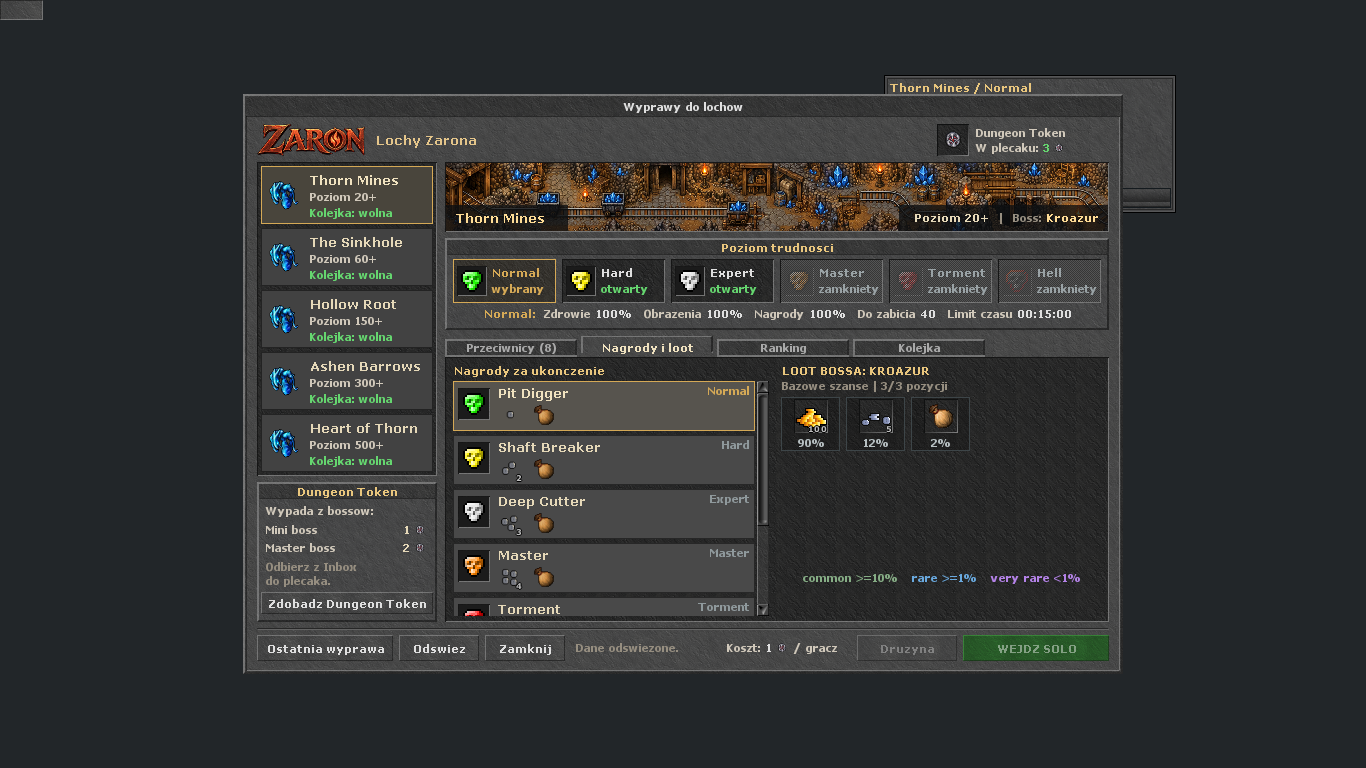
Each expedition participant needs 1 Dungeon Token as an entry pass. Earn them by defeating summoned Mini or Master bosses: Mini gives 1 and Master gives 2. Summoning has a separate Zar Token and species-kill cost described in the Chronicle.

Watch: Hunt, Mini and Master tasks — entering dungeons

Shows Hunt tasks, summoned Mini and Master bosses, and dungeon entry. Dungeon Token is the dungeon entry pass; check current Zar Token and species-kill summon costs in the window.

Muzyka: Five Armies — Kevin MacLeod (incompetech.com), CC BY 4.0. Excerpt, editing and mix with narration.

Normal
Hard
Expert
Master
Torment
Hell

You'll recognize them in the game

Dungeon Token
Dungeon Token1 per entry from each player. Mini: 1, Master: 2.
Rzadka skrzynka
Rzadka skrzynkaPrize pool item.
Epicka skrzynka
Epicka skrzynkaPrize pool item.
Wheel Point Token
Wheel Point TokenBoss loot: Mini/Master 1%, dungeon 1.5%. Use: +1 permanent Wheel of Destiny point from level 51.

How it works

  1. Open the Dungeons window. Click on the selected expedition to see the requirements, rewards and available difficulties.
  2. Prepare a Dungeon Token in each participant's backpack. Also check the Mini and Master rewards in Inbox.
  3. Select Normal, Hard, Expert, Master, Torment or Hell. The window indicates which levels are unlocked.
  4. Join solo or with a team, depending on the requirements of your chosen dungeon. Kill the required number of enemies and defeat the boss before the time runs out.
  5. Collect your rewards and check the results of your expedition. To abort, use the emergency exit portal.

Worth remembering

  • Entry: 1 Dungeon Token per person
  • Mini: 1 token · Master: 2 tokeny
  • 5 dungeons · 6 difficulty levels
  • Completion rewards for Inbox
  • Solo and team rankings
  • Wheel Point Token drops from Dungeon Token system bosses (Mini/Master) at 1%, and dungeon instance bosses at 1.5%. Using it from level 51 grants +1 permanent Wheel of Destiny point. Completing a task or dungeon alone does not award it.
Polowanie i bossyParty and experience experience sharingParty invitations and shared experience conditions. ActiveCzytaj
PARTYLink to the guide

A party lets you hunt together and share experience after enabling Shared Experience. A party invitation alone does not enable sharing — members must also meet its conditions.

You'll recognize them in the game

Knight
Knight
Paladin
Paladin
Sorcerer
Sorcerer
Druid
Druid
Monk
Monk

How it works

  1. Invite players to the party and accept their joining.
  2. The leader enables Shared Experience. Check the party indicator and sharing status.
  3. Watch your distance from the party, the allowed level difference and combat participation.
  4. Choose party vocations for the hunt. After changing members, recheck shared experience status.

Worth remembering

  • The leader enables Shared Experience
  • Active status and meeting the conditions are separate indicators
  • Party composition affects experience calculation
Polowanie i bossyKasyno i losowanie miksturCheck the selected game's rules before using tokens. ActiveCzytaj
SLOT MACHINELink to the guide

In Casino, a draw grants one Random Amplification Potion or Random Resilience Potion. It costs 50 Zar Tokens. Map-based machines and games have their own rules displayed at each game.

You'll recognize them in the game

Zar Token
Zar TokenWaluta losowania w oknie Kasyno.

How it works

  1. Open Casino in the client and read the reward descriptions.
  2. Prepare 50 Zar Tokens in your backpack and space for one potion. Required character level: 8.
  3. Each draw grants one of two potions. Each has a 50% chance.
  4. If you have a Battle Pass draw ticket, check whether you can use it in the window.

Worth remembering

  • Casino window: 50 Zar Tokens per draw
  • Amplification or Resilience: 50% each
  • Required level: 8
  • Check the rules for map-based slot machines separately
World and travelQuests and expeditionsExpeditions, special areas and 15.30 regions. ActiveCzytaj
EXPEDITIONSLink to the guide

Zaron combines global areas with custom expeditions. Region access, arena entry conditions and recommended level are separate things — check them before departing.

How it works

  1. Check the available journeys to special areas with Nishat.
  2. Visit Captain Bluebear in Thais to reach the new 15.30 regions.
  3. Choose a hunting ground in Hunt Finder.
  4. Read the requirements at the specific entrance or lever.

Worth remembering

  • Personal and global expeditions
  • Regiony 15.30 u Captain Bluebeara
  • Hunt Finder helps you choose a hunting ground
World map — travel marker for Thais. World map — travel marker for Thais. World and travelMapa i znacznikiMinimap, landmarks and travel across Zaron. ActiveCzytaj
NAWIGACJALink to the guide

The minimap and Cyclopedia map help find depots, temples and expedition locations. Also use Hunt Finder to plan hunts.

How it works

  1. Open the minimap or the Cyclopedia map.
  2. Hover over a marker to check the place name.
  3. Compare the hunting ground location in Hunt Finder with the route and available teleports.

Worth remembering

  • Mapa w kliencie
  • Landmark markers
  • Hunting grounds in Hunt Finder
Teleport System — kategorie i lista miejsc. Teleport System — kategorie i lista miejsc. World and travelTeleport System — cele i cenyTowns, bosses, hunting grounds, special places and home. Aktywne · FilmCzytaj
TRAVELLink to the guide

The Teleport window lets you choose a destination and check availability. Some trips cost Zar Tokens. Displayed prices account for free hunting grounds and boss exceptions.

Obejrzyj: Hunt Finder i teleporty

Hunting ground search, route map, equipment preview and teleport. The final section also shows boss teleports.

Muzyka: Five Armies — Kevin MacLeod (incompetech.com), CC BY 4.0. Excerpt, editing and mix with narration.

You'll recognize them in the game

Teleport System
Teleport System
Zar Token
Zar Token

How it works

  1. Open the portal icon on the client bar and choose a tab.
  2. Find the destination. Check its required level, unlock status and price.
  3. Hunting grounds with a level requirement up to 150 are free; higher ones cost 10 Zar Tokens.
  4. Boss destinations usually cost 10 Zar Tokens. Targets with up to 70 000 boss HP are free, except Megasylvan Yselda, Faceless Bane and Lloyd, which remain paid.
  5. Teleport after meeting the requirements. Combat lock and cooldown still apply.
TargetPrice
Miasta, miejsca, dom0
Hunting ground with required level ≤1500
Hunting ground with required level >15010 Zar Tokens
boss0 or 10 Zar Tokens — check the destination card

Worth remembering

  • Cities / Bosses / Hunts / Places / House
  • Towns, places and home: currently free
  • Hunting grounds with a level requirement up to 150: free
  • Other hunting grounds: 10 Zar Tokens
  • Odnowienie okna: 30 sekund
Zaron — map and travel points. Zaron — map and travel points. World and travelWaypoints — discover travel destinationsThe fiery runic circle opens the Teleport window. ActiveCzytaj
TRAVELLink to the guide

Waypoints are Zaron's runic tiles. Discover them near selected areas and use the place list in the Teleport System.

You'll recognize them in the game

Waypoint
WaypointCentre of the runic circle.
Teleport System
Teleport System

How it works

  1. Find a Waypoint runic circle, including at the Gothic Thais depot.
  2. Step onto the centre of the tile or use it to open travel selection.
  3. In Places, check discovered locations and choose a destination.

Worth remembering

  • Connected to the Teleport System
  • Discovering travel points
  • Current runic tile icon
Assistant — first preset and adding rules. Assistant — first preset and adding rules. BotBot — pierwsze uruchomienieVideo and instructions: open the Assistant, configure healing, enable attack and check its status. Aktywne · FilmCzytaj
ZACZNIJ TUTAJLink to the guide

Zaron's bot is the built-in Assistant: healing, mana, combat and walking saved routes. Start with healing and attack, then add a short route. The video shows the actual panel; setup steps follow below.

Watch: Zaron Assistant — settings demonstration

Recorder and route, Attack, Health, Mana and General. The video shows the panel and examples; adapt settings to your character.

Muzyka: Five Armies — Kevin MacLeod (incompetech.com), CC BY 4.0. Excerpt, editing and mix with narration.

You'll recognize them in the game

Healing
HealingPrzygotuj mikstury dla swojej profesji.
Mana
ManaKeep mana in reserve for healing.
Walka
WalkaChoose a spell or rune for your character.

How it works

  1. Open the Assistant using the button on the client's top panel. Ctrl+Shift+A also works on desktop.
  2. While configuring, use the bottom Bot: wylacz button. The status bar should show Bot: OFF. OK or Escape only hides the panel.
  3. Choose a configuration in Presets or click New. Healing and combat settings are saved for this character. Routes have separate Sessions in Recorder.
  4. Add one healing rule in Health and one mana-restoring rule in Mana. Enable the entries and both lists with Enabled.
  5. In Attack, enable Auto attack and set the range. To use spells or runes, add a Shooter rule. See the Healing, mana and attack guide for details.
  6. Use Bot: wlacz and check Bot: ON and feature status on the bar. Test briefly against an easy, familiar enemy outside PZ.
  7. Only after checking healing, open Cave Bot → Recorder and record a short route. Bot: wylacz disables the Assistant; the map's Enabled/Disabled switch disables just the route.
What is not working?What should I check?
Does not heal / restore manaBot: ON, the list's Enabled switch, an active entry, suitable HP/MP range and available potions or spell mana.
Does not attackAuto attack or Shooter, with a valid range and target. Combat does not work in PZ (protection zones).
Character is standing stillDoes the route contain points, is recording finished, and is Cave Bot Enabled? Also check pause or floor messages.
The bot keeps running after the window closesOK and Escape hide the panel. Use Bot: wylacz to turn it off.

Worth remembering

  • Three activation levels: Bot: ON, the Enabled list and an active entry
  • Health and Mana have separate rules
  • Recorder: recording a route and walking it are separate switches
  • Adjust HP/MP thresholds to your level, vocation and equipment
Health — spell, potion and HP healing threshold. Health — spell, potion and HP healing threshold. BotBot — leczenie, mana i atakHealth, Mana, Attack and Shooter: adding rules, thresholds and priorities. Aktywne · FilmCzytaj
LECZENIE I WALKALink to the guide

Each rule defines an action and its condition. Prepare healing first, then mana recovery and finally attack. The thresholds are examples for the first test, not a ready-made setup for every character.

Watch: Zaron Assistant — settings demonstration

Recorder and route, Attack, Health, Mana and General. The video shows the panel and examples; adapt settings to your character.

Muzyka: Five Armies — Kevin MacLeod (incompetech.com), CC BY 4.0. Excerpt, editing and mix with narration.

You'll recognize them in the game

Health
HealthSpell or item at the selected HP threshold.
Mana
ManaSeparate rule list for MP.
Shooter
ShooterCzary i runy ataku.

How it works

  1. Health → + New Entry: choose Spells or Items and click a tile. Choose a spell or potion that your character can use.
  2. Set the HP range. First test example: heal at up to 70% HP. Ensure the entry is enabled (green fist) and the whole list shows Enabled.
  3. Mana → + New Entry: choose a mana potion and MP range, e.g. up to 40% for the first test. Enable the entry and Mana list.
  4. Use the arrows to order entries: higher ones take priority. Start with the most urgent healing when using several rules.
  5. Attack: enable Auto attack, choose the nearest or lowest-HP enemy and set the range in tiles.
  6. Shooter → + New Entry: choose a spell or rune, minimum monsters, range and minimum HP/MP. These minimums reserve healing resources. Enable the Shooter list.
  7. Enable the main Bot switch and test on an easy enemy outside PZ. If mana drops quickly, adjust Shooter conditions or reduce active rules.

Worth remembering

  • Health and Mana do not activate each other
  • Entries higher on the list take priority
  • Attack chooses the target; Shooter uses a spell or rune
  • Attack and Shooter do not work in protection zones
  • Without an active Cave Bot, AFK protection disables Attack/Shooter after 10 minutes of inactivity
Recorder — mapa, punkty trasy i zapisane sesje. Recorder — mapa, punkty trasy i zapisane sesje. BotBot — nagrywanie i uruchamianie trasySessions, Record, Waypoints and Enabled: prepare your first short route. Aktywne · FilmCzytaj
CAVE BOT / RECORDERLink to the guide

Recorder saves points as you walk. Recording alone does not start automatic movement. Prepare healing and combat first, then test a simple loop on one floor.

Watch: Zaron Assistant — settings demonstration

Recorder and route, Attack, Health, Mana and General. The video shows the panel and examples; adapt settings to your character.

Muzyka: Five Armies — Kevin MacLeod (incompetech.com), CC BY 4.0. Excerpt, editing and mix with narration.
You'll recognize them in the game

Ruch po trasie
Ruch po trasieRecord a route that the character can walk.

How it works

  1. Open Cave Bot → Recorder. Select a route in Sessions or click New to create a separate session. Give it a recognisable name.
  2. Click the red Not Recording bar or Record in Config. Walk a short loop; points appear on the map and in Waypoints.
  3. Stop recording with the same bar or Stop button. Check the route and remove mistakes; use a single floor for the first test.
  4. In Config, set Stop if and Walk again if. Example: Stop if = 1 stops near a monster; Walk again if = 0 resumes when the area is clear. Adjust the monster-count range to the location.
  5. Enable Auto attack or Shooter. Without a combat method, Stop if is skipped so the character does not wait for an enemy it will not attack.
  6. Check Bot: ON and that recording is finished, then click Disabled in the map corner. Enabled means the route is running.
  7. Watch the first loop. Green marks the selected point, yellow the movement target, and white your character. Click Enabled to stop the route; Bot: wylacz disables the main automation.

Worth remembering

  • Sessions przechowuje trasy; Presety przechowuje konfiguracje funkcji
  • Nagrywanie blokuje jednoczesne odtwarzanie trasy
  • Stairs record floor changes; ladders and ropes are not supported
  • A pause message can mean waiting for monsters to be defeated
  • Do not enable Ignore fields without checking the route — it allows walking through fire, poison and energy
General — presety, przyspieszenie i automatyczne jedzenie. General — presety, przyspieszenie i automatyczne jedzenie. BotAsystent — presety i dodatkowe ustawieniaVideo, presets, shortcuts, General, equipment and Auto training. Aktywne · FilmCzytaj
BUILT-IN HELPERLink to the guide

The Assistant is built into the Zaron client. After configuring healing and attack, adjust other features: presets, shortcuts, equipment, support and training. The video below shows the panel and examples.

Watch: Zaron Assistant — settings demonstration

Recorder and route, Attack, Health, Mana and General. The video shows the panel and examples; adapt settings to your character.

Muzyka: Five Armies — Kevin MacLeod (incompetech.com), CC BY 4.0. Excerpt, editing and mix with narration.

You'll recognize them in the game

Supreme Health Potion
Supreme Health PotionHealing: potion at an HP threshold.
Great Mana Potion
Great Mana PotionHealing: mana at an MP threshold.
Sudden Death Rune
Sudden Death RuneShooter: rune at your current target.
Life Ring
Life RingEquipment: ring put on at a threshold.

How it works

  1. Open the Assistant with the top panel button or Ctrl+Shift+A on desktop. If you are new, open Bot — getting started.
  2. Presets: New creates a separate configuration; click its name to select it. Export copies it to the clipboard and Import loads it from the clipboard. Choose routes separately in Recorder → Sessions.
  3. Settings → Game Window Shortcuts: click Ustaw and press a key to bind a feature toggle. Wyczysc removes the shortcut.
  4. General: enable Auto haste, Auto change gold or Auto eat one at a time. Choose a suitable spell or food; coin exchange works on open backpacks.
  5. Amulets and Rings: add an entry, choose the item and HP thresholds for equipping/removing it. Enable the entry and list; keep the item in an open backpack.
  6. In Support, select Auto training: put a suitable weapon in an open backpack and stand beside a dummy in PZ. It uses the next matching weapon when the previous one runs out; movement or an error stops training.
  7. Watch the bottom status bar. Bot: wylacz stops the main automation; OK or Escape only closes the window view.

Worth remembering

  • Video: settings and example behaviour
  • Ustawienia zapisywane osobno dla postaci
  • Up to 6 presets
  • Routes have separate Sessions
  • Check whether the feature is enabled on the status bar
Getting startedItem preview and rarity aurasItem stats and coloured auras help you compare equipment. ActiveCzytaj
ITEMSLink to the guide

Hover over an item to see its name, description and available stats. Aura colour helps navigate equipment. It may come from catalogue value, item category or tier, so it does not determine the price paid by an NPC or player.

You'll recognize them in the game

Grey
Greybelow 1,000 gp
Green
Green1,000 to 9,999 gp
Blue
Blue10,000 to 49,999 gp
Purple
Purple50,000 to 249,999 gp
Gold
Goldfrom 250,000 gp, Store items and Zaron items

How it works

  1. Potions: how much HP or mana they restore, for which vocation and from which level.
  2. Runes: damage or healing calculated for the level and magic level of your logged in character.
  3. Rings and amulets: the effect when worn, protections in percent and charges.
  4. Weapons and armor: attack, defense, armor, skills, protections, critical, leech, imbuement slots and Zaron set bonuses.
  5. The slot background color is the rarity aura. Change it in Options > Interface > Colourise Loot Value.
ColorBase value used for the aura
Greybelow 1,000 gp
Green1 000–9 999 gp
Blue10 000–49 999 gp
Purple50 000–249 999 gp
GoldFrom 250 000 gp; some items have this colour regardless of their value

Worth remembering

  • Preview item stats and requirements
  • Tier can raise the aura's colour category
  • Coins remain grey
  • The sale price depends on the offer, not just the colour
Character progressionImbuing — scrolls and applying effectsChoose a Powerful scroll and use it on an item with an imbuement slot. ActiveCzytaj
IMBUINGLink to the guide

Imbuing adds an effect to suitable equipment. Using an Imbuement Token lets you choose a Powerful scroll. Check the scroll description and equipment requirements before buying and applying it.

You'll recognize them in the game

Imbuement Token
Imbuement Token
Blank Imbuement Scroll
Powerful scroll
Powerful scroll

How it works

  1. Approach the NPC near the imbuing shrines and check the offer using hi, trade.
  2. Read the price and description of the Imbuement Token or scroll.
  3. Use the token and choose an available scroll from the list.
  4. Check the item type and a free imbuement slot before applying the effect.

Worth remembering

  • Imbuement Token: item used to choose a scroll
  • Using the token consumes 1 token and grants the selected scroll
  • Apply the scroll to a suitable item
  • Wymagany wolny slot imbuingu
Character progressionCharacter aurasThree animated auras under your character: Zaron, Frost and Ember. You pick them in the outfit window. ActiveCzytaj
COSMETICSLink to the guide

An aura is an animated ring under your character. It gives no stats, it is only for looks. We drew the auras from scratch for Zaron.

You'll recognize them in the game

Zaron Aura
Zaron Auracrimson ring with thorns and red sparks
Frost Aura
Frost Auraicy ring with small crystals and frost flakes
Ember Aura
Ember Aurafiery ring with small flames and sparks

How it works

  1. Check the aura and its current price in Store.
  2. Open the outfit window, go to Aura, select an unlocked aura and confirm.
AuraLook
Zaron Auracrimson ring with thorns and red sparks
Frost Auraicy ring with small crystals and frost flakes
Ember Aurafiery ring with small flames and sparks

Worth remembering

  • Efekt kosmetyczny, bez statystyk
  • Choose in the outfit window
  • Price shown in the Store offer
Character progressionOutfits — Store and Addon StatueAppearance and addon preview in the current 15.30 client. ActiveCzytaj
COSMETICSLink to the guide

Outfits change character appearance. Check the Store offer or Addon Statue for models and included addons.

You'll recognize them in the game

Winter Warden
Winter WardenOutfit preview.
Phoenix Evoker
Phoenix EvokerOutfit preview.
Arena Champion
Arena ChampionOutfit preview.
Seaweaver
SeaweaverOutfit preview.
Bat Knight
Bat KnightOutfit preview.
Royal Pumpkin
Royal PumpkinOutfit preview.
Vampire Noble
Vampire NobleOutfit preview.
Evoker
EvokerOutfit preview.

How it works

  1. Open Store and the outfit category.
  2. Choose a model, preview it, and check its price and addons.
  3. Check the separate Addon Statue offer for outfits earned in game.
  4. Select unlocked appearances in the character outfit window.

Worth remembering

  • Preview before buying
  • Price shown in the selected offer
  • Separate Addon Statue offer
Getting startedStore - store in the clientItems, cosmetics, packs and training weapons for Zaron Coins. ActiveCzytaj
ZARON COINSLink to the guide

Open Store in the client. Purchases use the Zaron Coins balance shown in the shop. Zar Token is an item for in-game services. Choose an offer and variant, then check price, quantity and delivery location before buying.

You'll recognize them in the game

Durable Exercise Axe
Durable Exercise AxeTraining weapon.
Lasting Exercise Axe
Lasting Exercise AxeLonger training.
Rzadka skrzynka
Rzadka skrzynkaContent details in the Store offer.
Epicka skrzynka
Epicka skrzynkaContent details in the Store offer.

How it works

  1. Expand the category in the menu on the left. Clicking again allows it to collapse.
  2. Select an item, outfit or package. Please read the description before purchasing.
  3. There are two types of weapons available in Training: Durable and Lasting. Choose a weapon that matches the skill you are training.
  4. You will recognize the promotion by marking the discount. The price shown for the selected variant applies.
  5. After purchasing, check the delivery location provided in the offer and your purchase history.

Worth remembering

  • Training: Durable i Lasting
  • Select a variant before purchasing
  • Price and delivery are described in the offer
  • Saldo Zaron Coins widoczne w Store
  • Zar Tokens in your backpack pay for in-game services
World and travelWeatherRain, snow, fog and autumn leaves — effect settings in the client. ActiveCzytaj
WORLDLink to the guide

Weather effects appear on the client map. Auto selects them by region and season. You can disable weather or manually choose an effect.

You'll recognize them in the game

Rain
RainGothic Thais.
Snow
SnowIce Castle.
Fog
FogZaron dungeons.

How it works

  1. Open Options → Interface → Weather.
  2. Choose Auto so the client selects effects by location: rain in Thais, snow near the Ice Castle or fog in the Dungeon area.
  3. In autumn, Auto mode can show falling leaves on the surface. Snow and fog in their respective regions take priority.
  4. Choose Disabled or a Force mode to change the effect manually.
TrybHow it works
AutoWeather depends on region and season
DisabledNo weather effects
Force rain / snow / fog / autumnManual effect selection

Worth remembering

  • Auto, Disabled and manual effect selection modes
  • Autumn leaves on the surface
  • The effect adapts to the selected map filter
Getting startedHD graphics and image smoothingHD mode and Smooth xBR filter in the current Zaron client. ActiveCzytaj
GRAPHICSLink to the guide

The Zaron client supports HD mode and Smooth xBR map smoothing. These visual settings depend on device performance. Assess HD mode and map filtering separately.

You'll recognize them in the game

Grass, regular
Grass, regular32 px graphic.
Grass, HD
Grass, HDThe same grass in HD mode.
Item, regular
Item, regular32 px graphic.
Item, HD
Item, HDThe same item in HD mode.

How it works

  1. Start the current client through the updater to use the latest graphics.
  2. On desktop, press Ctrl+Y to choose a map filter. Compare Smooth xBR with Default.
  3. If you change HD mode itself, restart the client — this change takes effect on the next launch.
  4. Choose a filter for readability and smooth performance on your device.

Worth remembering

  • Smooth xBR: map smoothing
  • Ctrl+Y: choose a filter in the desktop client
  • Changing HD mode requires restarting the client
Character progressionSeason PanelEdition information, progression and Founder badge. ActiveCzytaj
SEASONSLink to the guide

The Season panel gathers current edition and account achievements. Check official announcements for future edition dates and rules.

You'll recognize them in the game

Edition and season day
Edition and season dayThe bar under your equipment.
Founder badge
Founder badgeFor playing in Edition I.

How it works

  1. Kliknij pasek sezonu pod ekwipunkiem.
  2. Przejrzyj informacje o edycji, Dziedzictwie i zasadach.
  3. Follow change details in the website changelog.

Worth remembering

  • Stan edycji w kliencie
  • Legacy and Founder badge
  • Dates follow the official announcements
Getting startedPlayer commandsCheck PZ lock time, Hunter Chronicle progress and the Boss Register. ActiveCzytaj
CONTROLLink to the guide

Enter commands in game chat. Most systems also have client windows showing current options and rewards.
How it works

  1. !pz — check remaining PZ lock time. Shows it above the character and in the console; only you can see it.
  2. !chronicle — check your Hunter Chronicle progress.
  3. !ledger — check the Boss Register; !ledger claim collects available rewards.

Worth remembering

  • Enter commands in chat
  • System details in the client windows
  • PZ time: 45s. means 45 seconds of PZ lock remaining.
  • No PZ. means that you have no PZ lock.
  • !pz tylko odczytuje stan — nie zdejmuje ani nie skraca blokady.
Asystent — panel automatycznego treningu. Asystent — panel automatycznego treningu. Character progressionTrening — Durable i LastingChoose a training weapon that suits your profession and training duration. ActiveCzytaj
SKILLS TRAININGLink to the guide

There are two variants of training weapons in the Training category: Durable and Lasting. Choose the right type of weapon for the skill you are training and compare the number of uses.

You'll recognize them in the game

Durable Exercise Axe
Durable Exercise AxeVariant 1800 uses.
Lasting Exercise Axe
Lasting Exercise AxeVariant 14400 uses.

How it works

  1. Open the Store and the Training category.
  2. Select Durable (1800 uses) or Lasting (14400 uses).
  3. Check the name of the weapon and the description of the offer. Match it to your character's skills.
  4. After receiving the item, use the training weapon on the appropriate dummy.
  5. To continue training with another weapon, use Auto training in Assistant → Support. Keep the weapon in an open backpack.

Worth remembering

  • Durable: 1800 uses
  • Lasting: 14400 uses
  • Price and promotion visible in the Store

Battle Pass preview

View fitted to the screen. Zoom to 100% to read the labels.

Zaron 15.30 · aktualizacja poradnika: 07.10.2026. Zmiany zasad: changelog →

Seller: Jamroży sp. z o.o. · Gać 52, 86-302 Gać · KRS 0001206135 (Sąd Rejonowy w Toruniu, VII Wydział Gospodarczy KRS) · NIP 8762518797 · REGON 543293958 · share capital 5 000,00 zł · [email protected] · tel. +48 573 832 583

Creature of the Day Boss of the Day Monster Pedestal and Players Online Box
Server Save
Countdown to server save